Intro
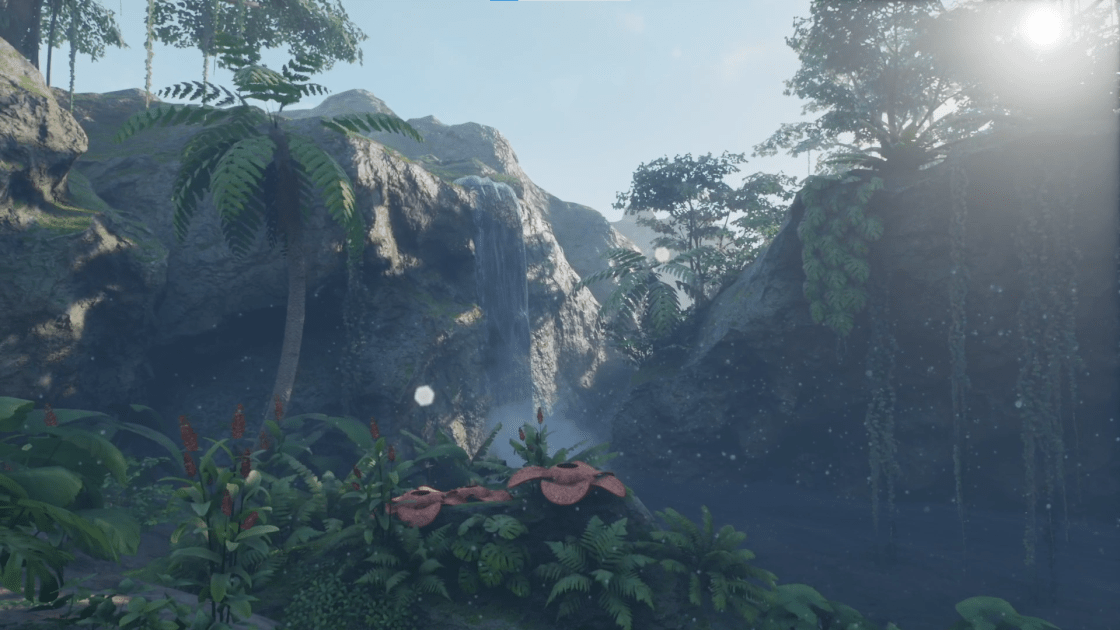
Tropical Jungle is an environment asset pack for Unreal Engine 4 that I’ve added my own sound design and implementation to using audio middleware tool Wwise. In this article I discuss my thoughts and design decisions I made while working on this project, as well as some of the challenges and issues I encountered and how I solved them.
Character Footsteps
Starting off with the footstep audio event, which was probably the hardest thing for me to get working properly, as well as took the most amount of time. For this project I wanted the sound of the character’s footsteps to change based on what type of surface the character was walking on. This was set up in Wwise using a variety of Random Containers for each surface type with the corresponding audio files within each one. This was then controlled via a Wwise “Switch” for each surface type (Dirt, Mud, etc) which determined which container would be played when the event was triggered. However the difficulty for me was getting the game to properly communicate which switch to trigger.
After much trial and error, I managed to accomplish this by using what is called a line trace, drawing it from the character down to the ground, and sending a command to Wwise with the surface type that the character was standing on. These surface types, called Physical Materials in UE4, were manually set up, and attached to each object. The footstep event was then attached to the character’s run animation, and as a result, every time the event was triggered, UE4 would determine the surface type the character was standing on, send that information to Wwise, and Wwise would play a sound from the corresponding random container associated with that surface type.
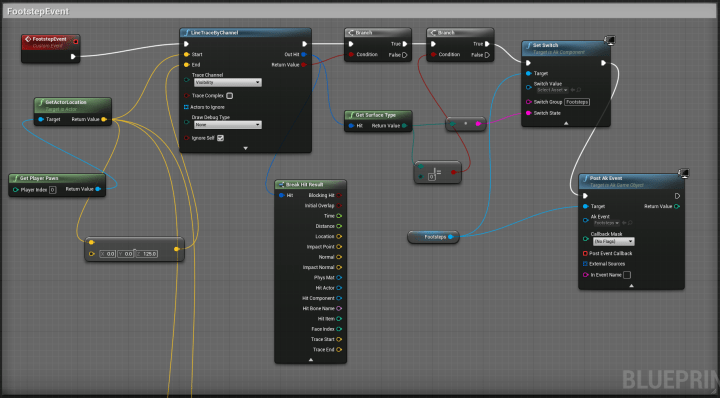
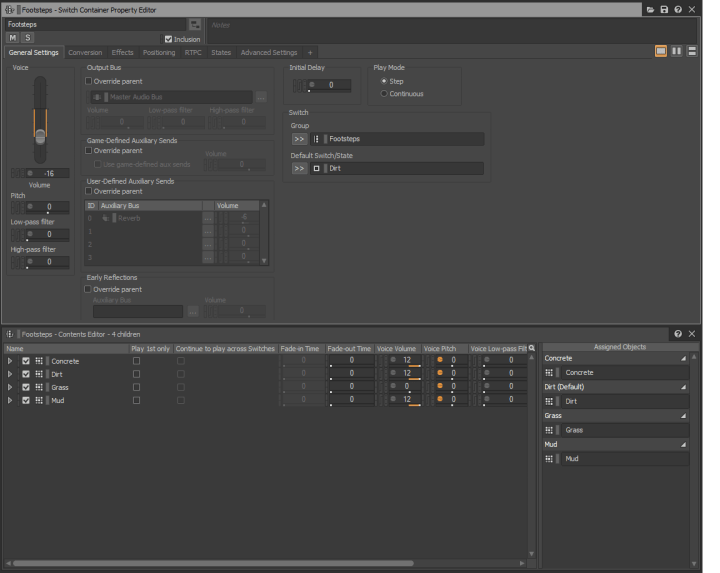
It’s not perfect, and there is almost certainly better ways of going about implementing this. For example if the surface isn’t flat and has a lot of edges or complexity to it, the game might not pick up that the character is standing on anything, and won’t play any audio, however this is what worked for me and accomplished what I needed it to do for this project.
Character Movement
The character’s footsteps aren’t the only audio associated with the character however. In order to create more realistic and believable character movement I’ve layered some clothes movements and some key/coin jingles in there as well. These are also set up in random containers and are manipulated via some pitch modulation so that every time they play they sound slightly different to keep things interesting. For the key/coins sound, I also included some Wwise silence, and gave it a higher priority so the listener doesn’t always here the coin/keys jingling with every single footstep. There’s also a Jump sound attached to the character’s jump animation that will play whenever the character jumps, although that only happens once in this video.

In addition, I’ve set up a dynamic character breathing system too. This is controlled via two Wwise “States”, one when the character is moving, and one when the character is standing still. These state changes are attached to the character’s running and idle animations respectively. While the character is running the listener will hear faster, shorter breaths, and while the character is idle you’ll hear slightly longer, deeper breaths. So in combination, whenever the character moves, you’ll hear a combination of the character’s footsteps, some clothes rustling, the character’s breathing, and perhaps some coin/keys jingling in there as well. Overall I’m very happy with how this dynamic character sound design turned out and think that it’s one of the main focus/strong points of this project.
Ambience Track
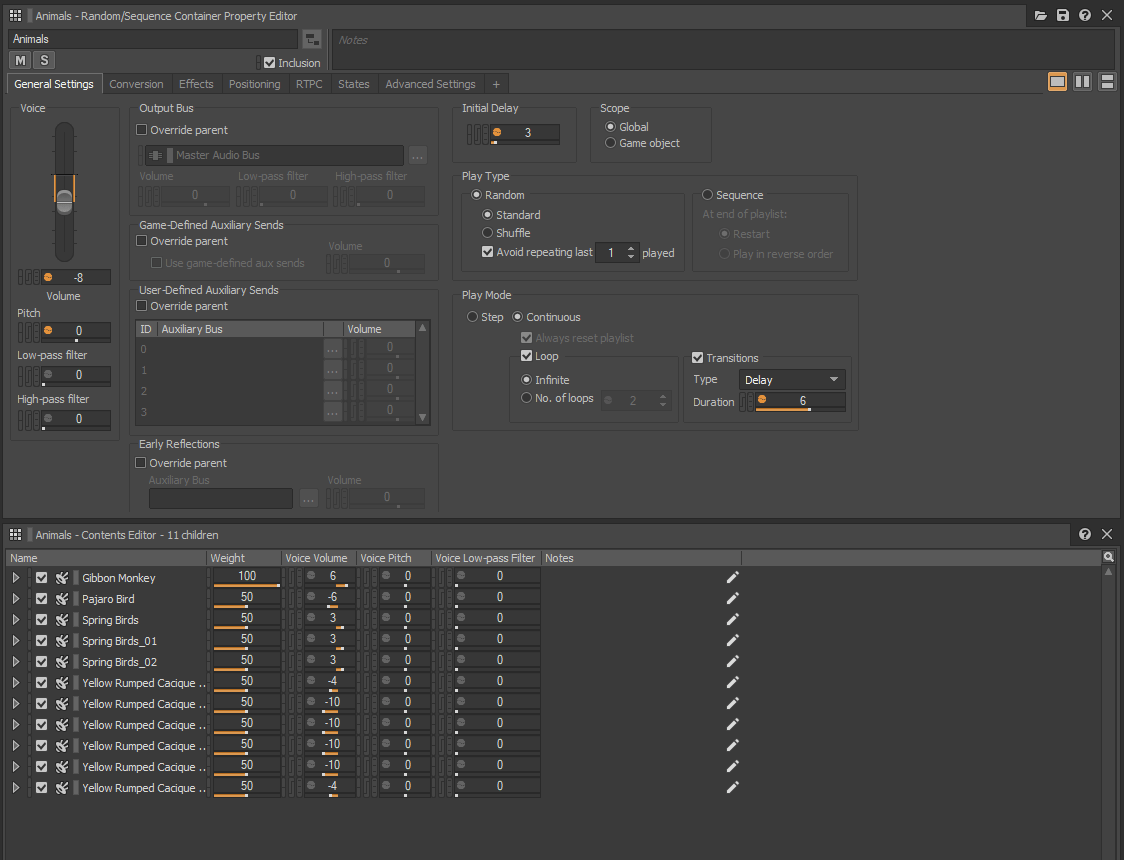
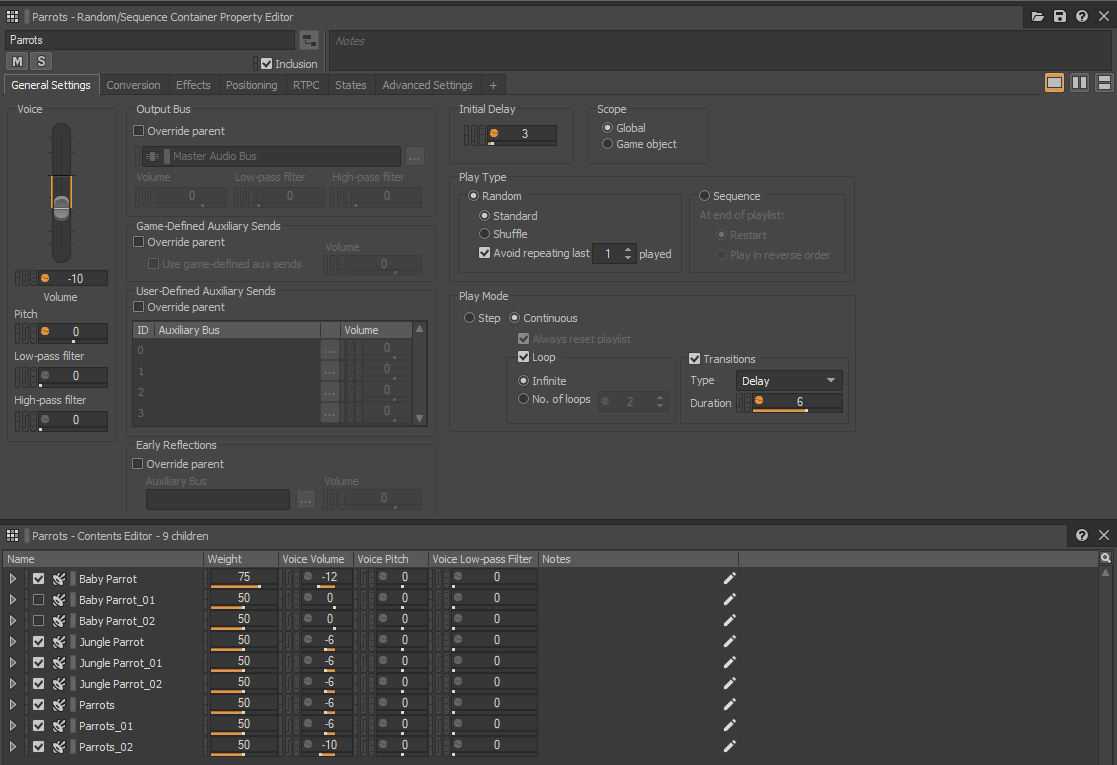
The ambient/environment track would probably be where the most of the audio content in this project is. Going into this I wanted to create a dynamic ambient track that would be different every time the game is played, and use 3D positioning for all of the animal sounds included. The ambient track consists of a base jungle ambient track, with random containers of various animal/insect sounds, such as birds, monkeys, flies, parrots, as well as some leaves rustling and branches snapping etc.
Each random container is set to randomly play during gameplay, with a relatively high delay between events to ensure that the listener isn’t overwhelmed with animal noises. They’re also manipulated to play at various levels of volume, pitch, panning, and positioning within the game, and will hold their 3D position for the entirety of the event. So for example if the character moves the camera to look toward the source of the sound, that sound will pan accordingly to create a sense of realism, even though there isn’t actually any animals in the game itself. All of these random containers are combined with the base ambient track and blended together, to create a dynamic environment that sounds alive and full of animals and insects.
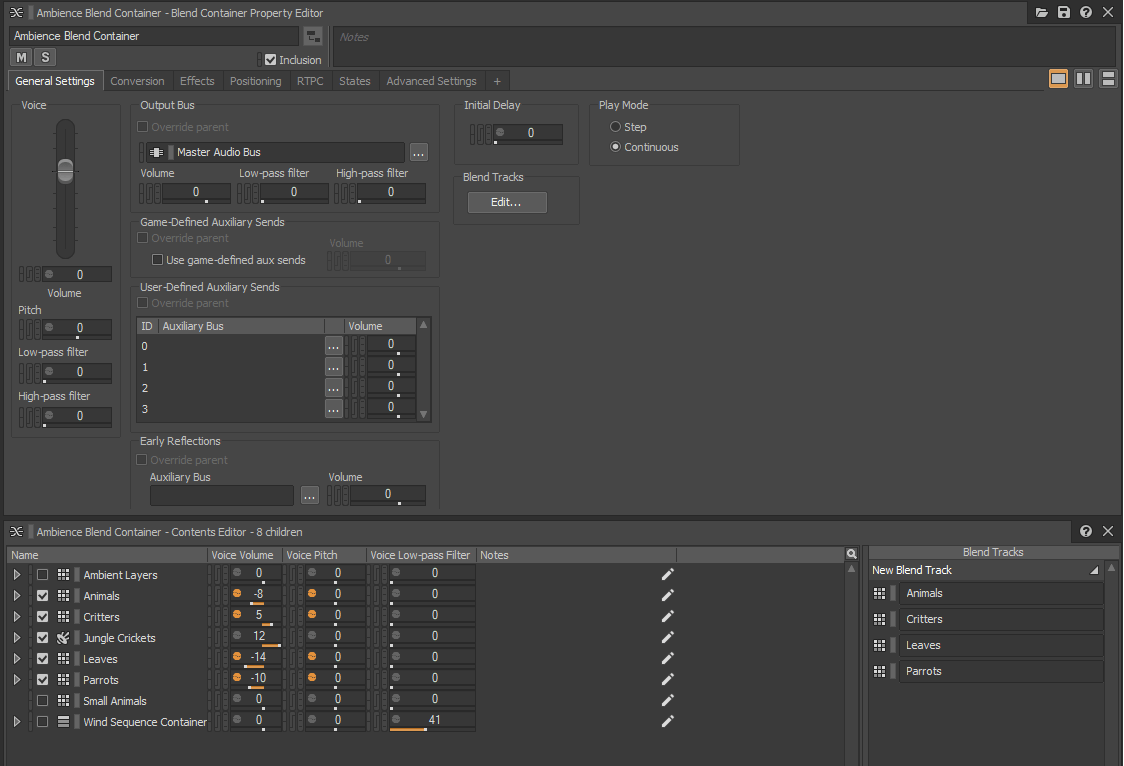
I wanted to add some attenuation to the animal sounds as the player moved closer/farther from the audio source, however I couldn’t really get this working in game as intended. I believe this was because I had the event playing from the character itself, so any attenuation I added didn’t really do anything as the audio source was moving with the character, and I couldn’t really find a way to get the audio to play as I wanted otherwise. It’s something I definitely intend to look into further and figure out a way to accomplish this for the future.
Conclusion
There’s some additional stuff to this project as well, such as some waterfall and river events with basic attenuation as the character moves closer and farther from the object. There’s also some foliage where if the character touches it a leaf rustling sound will occur. And a reverb zone near the rocks (just before the log bridge and waterfall) where the audio attached to the character gets sent through a reverb to simulate a somewhat closed off space.
Overall, I’m extremely happy with how this project turned out. There’s definitely areas that could be improved or done differently, but considering I went into this project only having recently learnt Wwise, and still not extremely familiar with UE4 blueprints or implementation, I think this project turned out much better than I expected it to. I hope this article was helpful or insightful, and be sure to let me know what you think about this project. What could I have done differently or better? Please let me know, and be sure to follow me on Twitter for more content like this!
 Matthew Foyle